Showing posts with label email viewer. Show all posts

27 December 2023

Pst Viewer Pro Email Viewer Update Is Now Available.


We have released an update to Pst Viewer Pro, our Windows software for viewing and converting emails.
Issues Resolved in build 9.0.1720.0:
PVP-529 Improve RAM utilization
PVP-530 Improve loading emails
PVP-531 Fix encoding on displayed messages
PVP-440 Mail Actions are not working

You can update through the software, or download it from https://www.encryptomatic.com/pstviewer/
Anyone needing support to update, please email supportline@encryptomatic.com or call 701-566-6731 x2

Pst Viewer Pro is a multi-format viewer for emails stored as PST/OST/MSG/EML/MBOX/MHT format. A 15 day free trial is available.

Pst Viewer Pro is built on MailDex.Lib .NET Library by Encryptomatic LLC.


Tags: #pstviewer #pstviewerpro #email #emailViewer

23 February 2023

MailDex 2023 Update 2.1.3 Now Available

Encryptomatic LLC has released the latest version of MailDex,  Update 2.1.3.  This update is recommended for all customers. It resolves customer reported issues and includes 25 enhancements and improvements.

MailDex 2.1.3 may be updated using the software's update feature in the Help menu.  It can also be downloaded from the MailDex website.

MailDex is a personal email search engine that privately allows you to perform fast email searches on your Windows PC.  Use MailDex to combine email content across all major email client file formats, including PST, OST, OLM, MSG, EML, EMLX, MHT and MBOX.  Convert emails to PDF and many other formats. Organize and manage millions of emails with MailDex.

MailDex is free to try for 15 days and includes a year of updates and phone/email/live support.

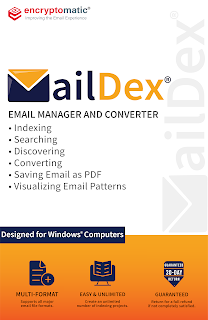
MailDex software box illustration, featuring the MailDex envelope logo in blue and gold. Text on the box reads: Email Manager and Converter. Bullet items include Indexing, Searching, Discovering, Converting, Saving Email as PDF, Visualizing Email Patterns. Blocked text reads Designed for Windows Computers.  Multi email formats supported. Easy and Unlimited Projects, 30 day guarantee.

For more information about MailDex, contact Encryptomatic LLC or visit the product home page.

01 February 2023

MailDex 2023 Update Now Available

Fargo, ND - Encryptomatic LLC today announced the availability of MailDex email viewer/converter, version 2.0.42 maintenance update. This release includes various improvements, features and fixes, and is recommended for all customers. For transparency, a full list of disposed issues is displayed below.

What is MailDex?

MailDex® by Encryptomatic® LLC is an affordable Windows® software tool for indexing, searching, discovering, visualizing and converting emails. MailDex works across many email client formats, including Outlook PST, OST, OLM and MSG files, Thunderbird's EML, MBOX, as well as WINMAIL.DAT, MHT, EMLX files.

Use MailDex to organize, find, archive, and present important email content. With MailDex, you can locate those few important emails hidden among millions. 

MailDex respects your privacy by performing all of its work on your computer. No email content or metadata is ever sent to our servers. All processing is local.

For a 15 day free trial of this latest release, please visit the official MailDex homepage.

An illustration of MailDex software box containing the mail envelope logo and encryptomatic LLC logo. 30 day no risk guarantee.

Release notes - MailDex - 2.0.42.0


Fixes
MDX-586 Replace zip com with .net component that has standard / core versions
MDX-591 Clarifying text change, "Import Emails" to Import Email Wizard
MDX-592 Added missing text to toolbar icons

Improvements
MDX-614 Sort subfolders alphabetically
MDX-598 Export email properties to a file
MDX-582 Improved MailDex installation

Resolutions
MDX-241 Resolved issue with Mail Actions
MDX-615 Resolved issue with Export to XML single (base64 atts)
MDX-616 Resolved issue with import options
MDX-618 Chinese simplified GB18030 emails are now displayed correctly from a PST/OST file
MDX-620 Resolved Error when exporting to PDF Zipped
MDX-621 Resvoled issue with Zip file password protection

19 April 2021

PstViewer Pro 2021 version 9.0 is Released.

 PstViewer Pro 2021 has been released. This is a major update to our popular email viewer and converter.  With PstViewer Pro 2021 (version 9), major improvements have been made to the speed of exporting email to PDF documents.


PstViewer Pro 2021 main screen.


PstViewer Pro is an email viewer for opening Outlook .pst/.ost/.msg/winmail.dat email files, as wells .eml and .mbox email files.  PstViewer Pro can be used to search for email messages, and to export email messages either individually or in bulk to pdf, gif, tif, docx, csv, xls and many other formats.


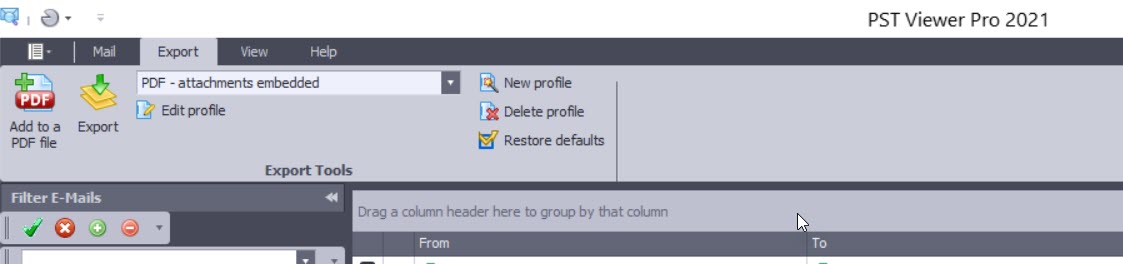
Screen image showing PstViewer Pro export menu.

A free trial of PstViewer Pro can be downloaded from the product home page.

For assistance in installing or uninstalling the software, contact Encryptomatic Support.

Improvements in PstViewer Pro 2021:

Software improvements and resolved issues in this major release are shown below. We have retained some of the issue numbers, in case you were tracking a specific issue.

- Single PDF export Imaged and Embedded restriction implemented with a warning if too many emails are embedded.

- Individual PDF export performance significantly improved

- ISO/A conversion performance has been enhanced

-  A issue in Mail Actions has been resolved. (PVP8-401)

- An issue with html links is resolved. (PVP8-408)

- Favorites tab has been enhanced (PVP8-403)

- Excel files convert in Single PDF exports is improved (PVP8-368/PVP8-378)

- UI issue for selected items is fixed (PVP8-399)

- Single Docx file restriction implemented to prevent performance issues.

- Single PDF conversion with MBOX is resolved. (PVP8-380) Restriction applies to this fix as well.

- Resolved issue where non-convertible attachments were sometimes not embedded on the output PDF (PVP8-396)

- UI Bug for the side pane (minor) PVP8-410

- Long build up time for Single Docx files (PVP8-414)

- Predefine/detect last email exported with the Single PDF restriction and move highlight to that email or auto batch convert the next 1000 emails from the last exported (PVP8-415)

- Adjust the profile naming schema for Folder tree PDF and copy (PVP8-412)

27 April 2020

MessageViewer Lite Email Viewer is Updated

We have updated MessageViewer Lite to Version - 5.0.476.0

This maintenance release is recommended for all customers.  We have implemented the the latest version of MVCOM email rendering engine, as well as updating software controls. Some minor issues have been resolved.  The result is a more stable, up-to-date product capable of rendering even more complex emails.

This update is available to all users of MessageViewer Lite. 


Screen image of MessageViewer Lite software for Windows. View .eml .msg email files. Simple email viewer.
MessageViewer Lite, the Simple Email Viewer for Windows.

You can download the update or a 15 day free trial from the official MessageViewer Lite software product home page.

MessageViewer Lite is a simple email viewer for Outlook .msg and Thunderbird .eml email fiels.  Access email file attachments and print email messages. MessageViewer Lite is often distributed with other software for simple email viewing.

MessageViewer Lite is developed and supported by Encryptomatic LLC, the publisher of this website. To run MessageViewer Lite, you will need a PC with Microsoft Windows 10/8/7, 2 GB ram, and 100 mb of disk space.  Software install and uninstall assistance is available free.  End user license.

18 September 2019

Re-Introducing PstViewer Lite Outlook Email Viewer

https://www.encryptomatic.com/pstviewer/lite/


PstViewer Lite is the little brother of our PstViewer Pro email viewer.  At Encryptomatic LLC, we haven't paid much attention to PstViewer Lite lately. It's one of those rock solid products that performs well and hasn't demanded much attention from our support or development staff. That is about to change, however.


We are presently working to update PstViewer Lite to the most advanced version of our MVCOM email rendering engine.  This will keep PstViewer Lite performing well into the foreseeable future.  The impending update of PstViewer Lite seems like a good reason for us to re-introduce this workhorse Windows software product.


PstViewer Lite was first released a decade ago to fill a market need for a budget priced, well supported Microsoft Outlook email viewer.  You can associate PstViewer Lite with many different email file types, including .Msg, .Eml, .Mbox, .Pst, .Pst and even .MHT and .MHTML files.

Associations can be changed any time, but typically is set during the initial installation of PstViewer Lite.

Software screen shot showing selectable boxes for email file formats.
Associate PstViewer Lite with different email file types.

 PstViewer Lite is simple to use. Just locate the folder that holds the email file(s), and PstViewer Lite will read the individual mails into an organized list.  To preview an email in the viewing pane, just click on it.

View Outlook emails in the viewing pane of PstViewer Lite.
Click on an email to preview in the viewing pane.

To investigate the email message further, double click to open it in a full window.

Software screen shot of a html email in full window view, showing an image of a buffalo.
An HTML email rendered in a full window.
PstViewer Lite's important functions are quickly assessible from the main menu, including Reply, Forward, Print, Search and PDF

PstViewer Lite main menu

Email Search


PstViewer Lite has advanced search capabilities.  Use it to search a ost, pst or mbox file, as well as directories full of .msg and .eml emails.  Clicking on the search icon brings up a quick text search option. A more advanced search option is available to allow you to search for emails by mixing criteria such as sender, setting start and end calendar date for the search, searching specific email fields such as subject, sender, recipient and more.


Software screen shot showing searchable fields.
Email Advanced Search Function

Email to PDF 

PstViewer Lite can convert an email message to a PDF document.  This is the main difference between PstViewer Lite and Pro.  Where PstViewer Pro can export thousands of emails to PDF, PstViewer Lite will export individual selected emails to PDF.  The results are impressive.

To convert an email to PDF, first select an email from the PstViewer Lite email list. Next, click the PDF icon in the toolbar, and finally choose a place to save the PDF file.

Image of a PDF file created from a html .msg Outlook email with PstViewer Lite, showing a buffalo.
An email converted to PDF with PstViewer Lite

Thanks for taking a hard look at PstViewer Lite. You can download the free trial or purchase an affordable license on the product's software home page, www.encryptomatic.com/pstviewer/lite/
https://www.encryptomatic.com/pstviewer/lite/


Anyone purchasing the product today will receive the software update next month.  If you have any questions, please post them here or call us!  1-651-815-4902 x2.

07 May 2019

MailDex Update 1.3.4 is Released

Encryptomatic MailDex email archiving system has been updated.  The latest version 1.3.4 is now available for free trial on the MailDex website.  Customers with a valid MailDex maintenance and support service subscription can update from within the software Help tab.

Software screenshot showing location of Check for Updates in the Help tab.
MailDex Checking for Updates

A major improvement has been made to the advanced email search.  Users can now include AND/OR/NOT criteria and design "Sets" of search criteria.  Searches may be saved and reused at a later time.

Screen shot of MailDex advanced criteria in search.
Advanced Email Search in MailDex.
If you have been working with our support team on an issue, the following tracked issues have been resolved in this release.

Features:
MDX-217    AND/OR Searches improvements

Fixes:
MDX-194    Regex "And" search
MDX-224    Update folders and icons names to MailDex 2019
MDX-227    RegEx search improvement
MDX-231    MDX 1.3.1: Add group may cause crash in some instances
MDX-232    MDX 1.3.1: Clicking on search icon may cause issue in some instances
MDX-233    MDX 1.3.1: Save-as improvement
MDX-234    MDX 1.3.1: Control may appear out of frame
MDX-236    Save throws unhandled exception in some instances
MDX-239    Require activation over TLS only.
MDX-242    Update links for Connect with us
MDX-243    Remove favorites feature

For support or upgrade questions, please feel free to contact us.

04 October 2018

Saving Private Gmail: How to Backup Your Gmail e-mail Messages

Saving Private Gmail

Gmail logo


As our smart phones replaced desktop computers for much of our daily communication,  Google's Gmail service made e-mail truly mobile and convenient.

If you have a Gmail e-mail address, it has probably become your main identity as you move about the internet. Gmail is nearly 15 years old now, and is embedded deeply into the lives of many users. 

Your Gmail e-mails are a document of your life that you should care about.  Emails to loved ones, perhaps containing photographs. Records of online purchases.  Business documents.  Your digital life is an important digital document that you may wish to preserve for posterity.

Recently, Google has made it easier for users to download their Gmail history as a MBOX file.  MBOX is an open format for bundling e-mail messages.  This article will show you how to download your Gmail e-mails, and then archive them in Encryptomatic's MailDex.  

MailDex is an email manager/archiver that lets you organize messages, even if they are stored as MBOX files, or Outlook PST or OST files, or individual EML or MSG files.  MailDex helps you make sense of not only your Gmail archive, but all of the e-mail files you've kept on USB drives over the years.

Sign into your Google account, and lets get started.


Downloading Your Gmail e-Mails

Step 1. Go to Google's Takeout page and select the data you want to export. If you only want to export your Gmails, click "Select None," then scroll down and select "Mail".


Screen shot showing how to select "All Mail" in Google Takeout to download your Gmail messages as a MBOX file.
Select Mail Option

Scroll to the bottom of the page and click "Next."

Step 2.  On the "Download your data" page, you can set the compression format for the Mbox file (tgz or zip).  Since the MBOX file with your Gmails will be quite large, Google compresses the file to save space.  Zip is the most common format and your computer probably already supports opening zip files.


Screen image: "Your account, your data. Export a copy."


You can also set the maximum size for the archived MBOX file before Google splits it into two or more archives.  The maximum selectable size is 50 GB.

Finally, choose how Google should deliver your Gmail archive.  You can receive an email to your Gmail address containing a link to download the file over https.  Other options including saving the file directly to your Google Drive,  Dropbox, OneDrive or Box.

Click "Create Archive" to continue.

Google responds with the message, "An archive of your Mail data is currently being prepared"


Please note that archives may take a long time (hours or possibly days) to create. You will receive an email when your archive is complete."


Screen image of Google email archive message.


Now watch for an e-mail to arrive in your Gmail account that looks like this:


Screen image of email with link to download Gmail MBOX file with email history.

Clicking "Download archive" will send you to the "Download Data" page.


Screen image of Google's Download Data page, where you can download a copy of your Gmail e-mails as a MBOX file.
Download Your Gmail Data
Click "Download" and save your file somewhere convenient.  

Congratulations! You've just made a complete backup of your Gmail history!

In the next article, we will show how to import that MBOX file and all of the e-mails it contains into Encryptomatic MailDex.

See you there!


20 October 2014

PstViewer Pro maintenance release available.


PstViewer Pro email viewer for Microsoft Windows has been updated. 

For more information on PstViewer Pro, please visit https://www.encryptomatic.com/pstviewer/

Changelog:
========================================================================================
Version 6.0.357.0
========================================================================================

- 0003818: [Add] Date format “yyyy-MM-dd” 
- 0004336: [Add] Release license when PVP is uninstalled
- 0003892: [Add] Ability to print every message starting from new page 
- 0004329: [Fix] Crash on attempt to delete an email from pst file
- 0004005: [Fix] Error message when checking for updates 
- 0004175: [Fix] Error when exporting specific EML message 
- 0004212: [Fix] Registration from command line with PIDKEY parameter 
- 0004261: [Fix] Printing to PDF changes signature and font color 
- 0003819: [Fix] Date format is displayed as 12-hours 
- 0003542: [Fix] Folders like "Libraries" and "Control Panel" don't get opened in Explorer 
- 0003839: [Fix] Search for .MSG and .EML files 
- 0004108: [Fix] Search and Filter functions return different results on the same query 
- 0003946: [Fix] 24-hours format for Sent/Received time 

04 March 2014

PstViewer Pro 6.0 Outlook Email Viewer Now Available For Download

PstViewer Pro is an email viewer for the Windows platform. It helps
you to view, search and export email messages stored as .msg, .eml,
.ost, .pst formats.

You can download the version 6 update from our website:
https://www.encryptomatic.com/pstviewer/download.html

In this release you'll notice that there has seen a change to
the GUI to give it a more updated look and feel, and organization
of the tools into tabs.

PstViewer Pro 6.0 email viewer for Outlook content


Here's the full list of improvements included in this release.


- 0003776: [Add] Check Outlook bit capacity to launch exe
file of the same bit capacity. There was a problem with
Reply/Forward functions not working if, for example, you installed
64-bit PstViewer Pro but had the 32-bit version of Outlook. This
check helps prevent those problems.


- 0003746: [Add] Add version number to PVP ribbon, which will make
it easier for you to know which version of PstViewer Pro you are
using if you call our support team.


- 0003720: [Add] Confirmation dialog regarding export profiles
reset to prevent you from overwriting customized export profiles.


- 0003583: [Add] Added Simple Fullscreen mode for fast viewing of
MSG and EML files


- 0003582: [Add] Add "Reply" and "Forward"
buttons to full screen email window


- 0003329: [Add] Added an option to let you export both message and
extracted attachments to the same folder


- 0003332: [Add] Add information on failed conversions


- 0003331: [Add] Add information about number and names of
attachments when exporting to CSV


- 0003139: [Add] Selection of date formats is not available


- 0003403: [Add] Add Attachments Export to the CSV Profile


- 0003390: [Add] "Select All" menu item has been added


- 0003716: [Fix] Resolved an issue where "CC:" field
doesn't get exported to CSV format


- 0003478: [Fix] Resolved an issue where boxes remain checked after
export


- 0003288: [Fix] Resolved a problem with German symbols a o u ?
dislaying
incorrectly after being exported from EML to PDF


- 0003433: [Fix] Attachment extensions are saved incorrectly


- 0002828: [Fix] Resolved a case where a crash occurred while
exporting a specific .pst file. Object reference not set to an
instance of an object.


- 0003399: [Fix] Resolved an issue Proxy settings from the command
line


- 0002820: [Fix] Resolved an issue where user is prompted to
download a temp.html file on each message opening from .pst file


- 0003657: [Fix] Resolved a situation where an EML message body and
attachment may not be displayed.